 EcoSafeNet
How to Choose a Home Security Camera in South Florida: Straight Answers to the Questions People Actually Ask
Shopping for a security camera can feel like reading a spec sheet in another language. The good news is that most people only need to answer a few simple questions to find the right fit. Here's a simple way to think it through, matched to the cameras we actually have on the shelf.
"I just want to see who's at my front door. What do I need?"
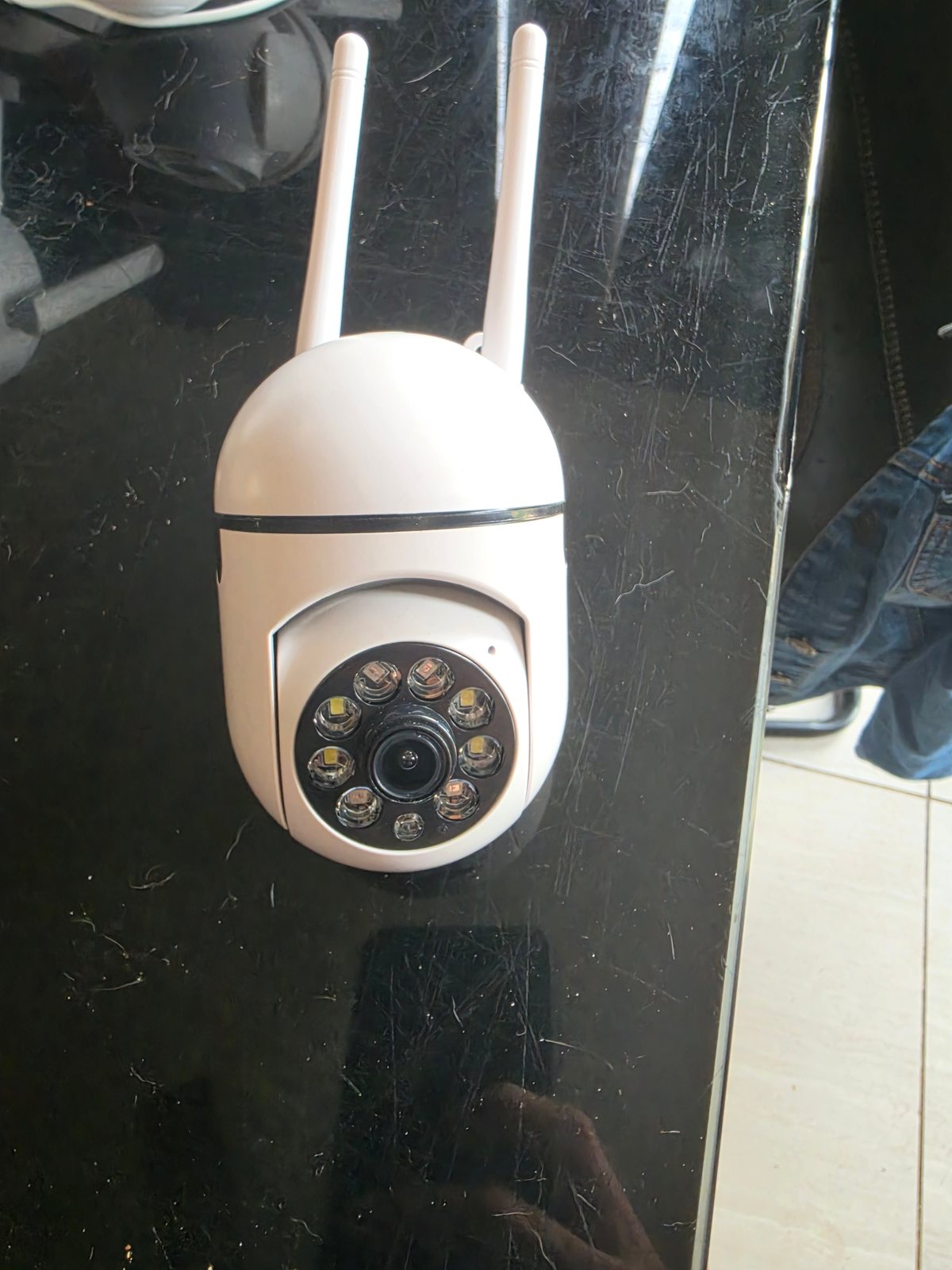
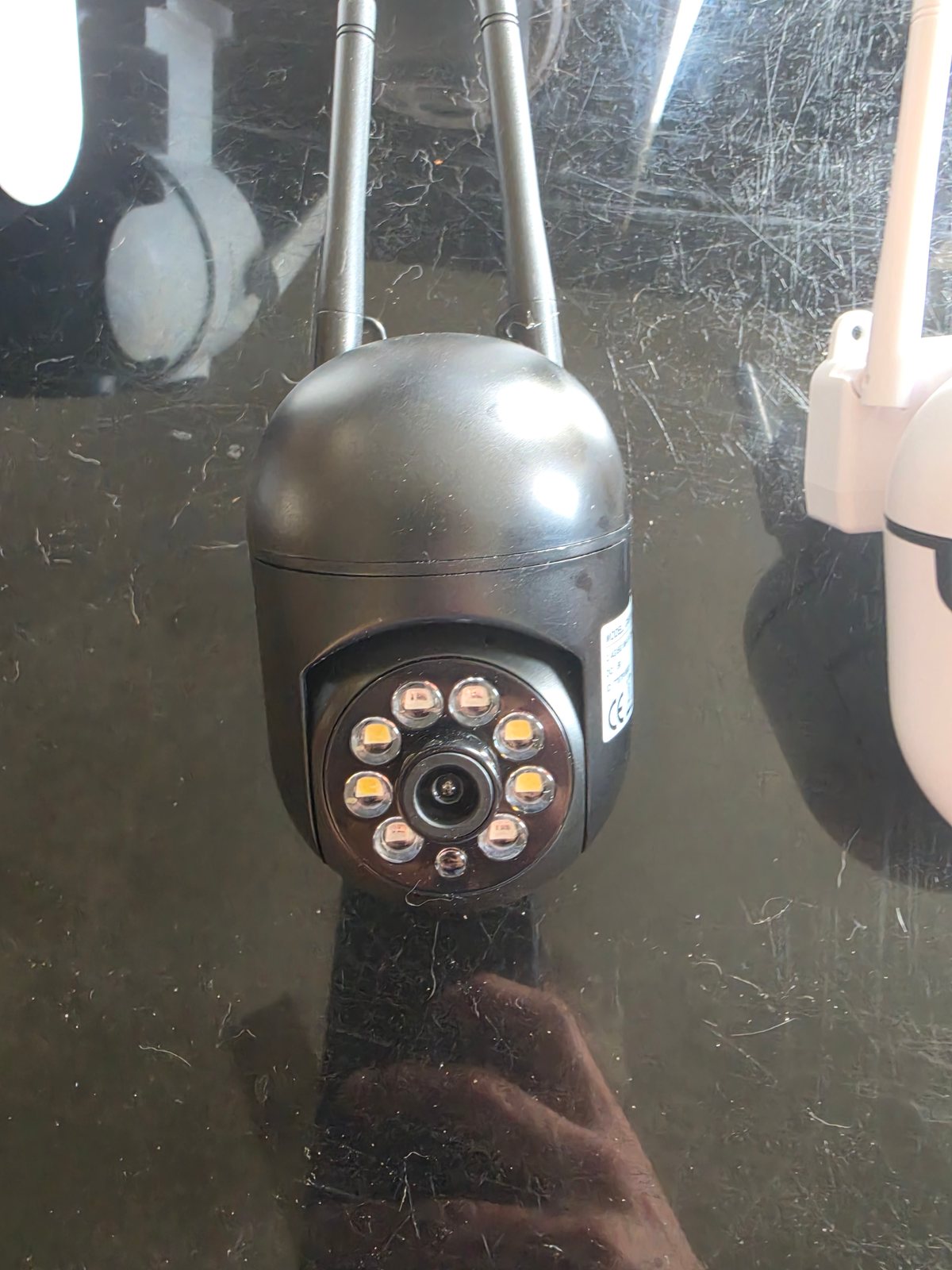
For a front door or entryway, a single Wi-Fi camera is usually enough. You want one clear view of the door and the walkway, and a camera you can check from your phone.
Our pick: our wall security camera at $22, in stock in white or black so you can match your trim.
"I want more than one lens in a single camera."
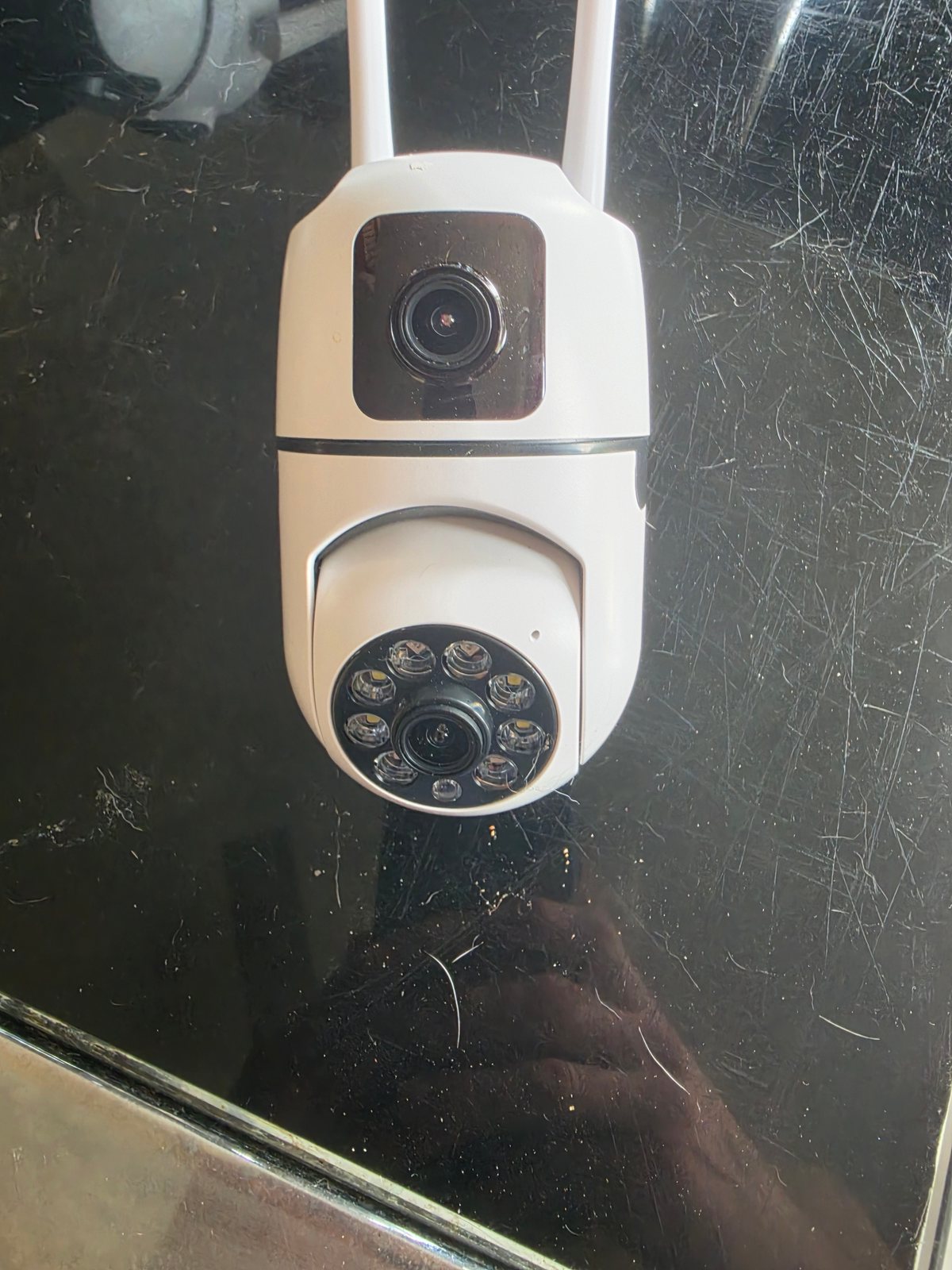
That's what a dual-lens camera is for. It puts two lenses in one camera. Call or text us and we'll tell you how this one is set up before you buy.
Our pick: our dual-lens camera (white) at $33, in stock now.
"What's a good setup for a small shop?"
Most small shops want to see the entrance, the register, and the sales floor. A simple setup is two dual-lens cameras at the 2-for-$55 price. Place them to cover the door and the counter. Test your Wi-Fi signal at each mounting spot first, especially toward the back of the shop.
"What if I want to watch a bigger area?"
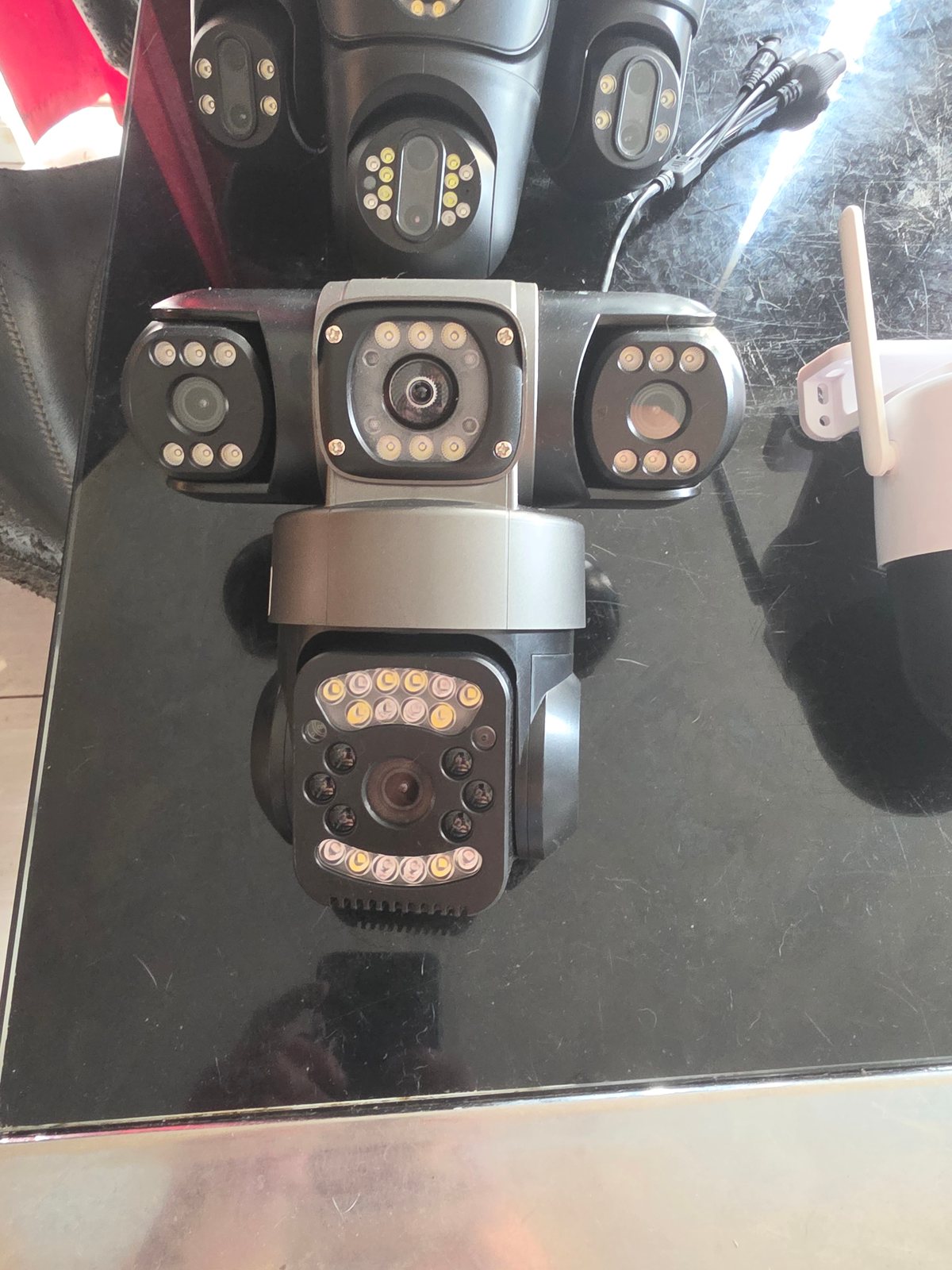
If you want more lenses in a single camera, we also carry:
- 4-lens camera at $98
- 7-Lens Security Camera at $220
"Can I mount a camera outside?"
Outdoor spots face direct sun, heavy rain, and humidity. Before you mount anything outside, check whether the camera is rated for outdoor use. If you're not sure, ask us. We'll only tell you what the product documentation actually states.
"How do the Wi-Fi and app work?"
The basics are the same for most home cameras:
- Check your Wi-Fi band. Many home cameras connect only to 2.4 GHz Wi-Fi. Most routers broadcast 2.4 GHz, but make sure it's turned on.
- Download the camera's app and pair the camera by following the in-app steps. The box or the product page tells you which app to use.
- Test the signal where the camera will go before you drill any holes. Walls and distance weaken Wi-Fi.
- Decide how you'll record. A microSD card stores footage on the camera itself.
South Florida tips: heat, rain, and storm season
- Shade helps. Mount cameras under an eave or overhang when you can, out of direct afternoon sun and driving rain.
- Protect the power connection. Keep plugs and adapters indoors or covered, away from rain and standing water.
- Before a storm, check that mounts are tight. Take down or secure anything loose.
- Plan for outages. Without power or internet, a Wi-Fi camera can't send live video to your phone. If that matters to you, think about backup power for your router and cameras.
Pick up free in Miramar
All of these cameras are available for free pickup in Miramar. Not sure which one fits your home or shop? Call or text 305-984-0676 and tell us what you want to see. We'll point you to the right camera from what we actually have in stock.